 Tee18
Tee18Everything in Tee18.
The long list. What each part does, how you use it and where it is in the app. All of it free, none of it behind a paywall.
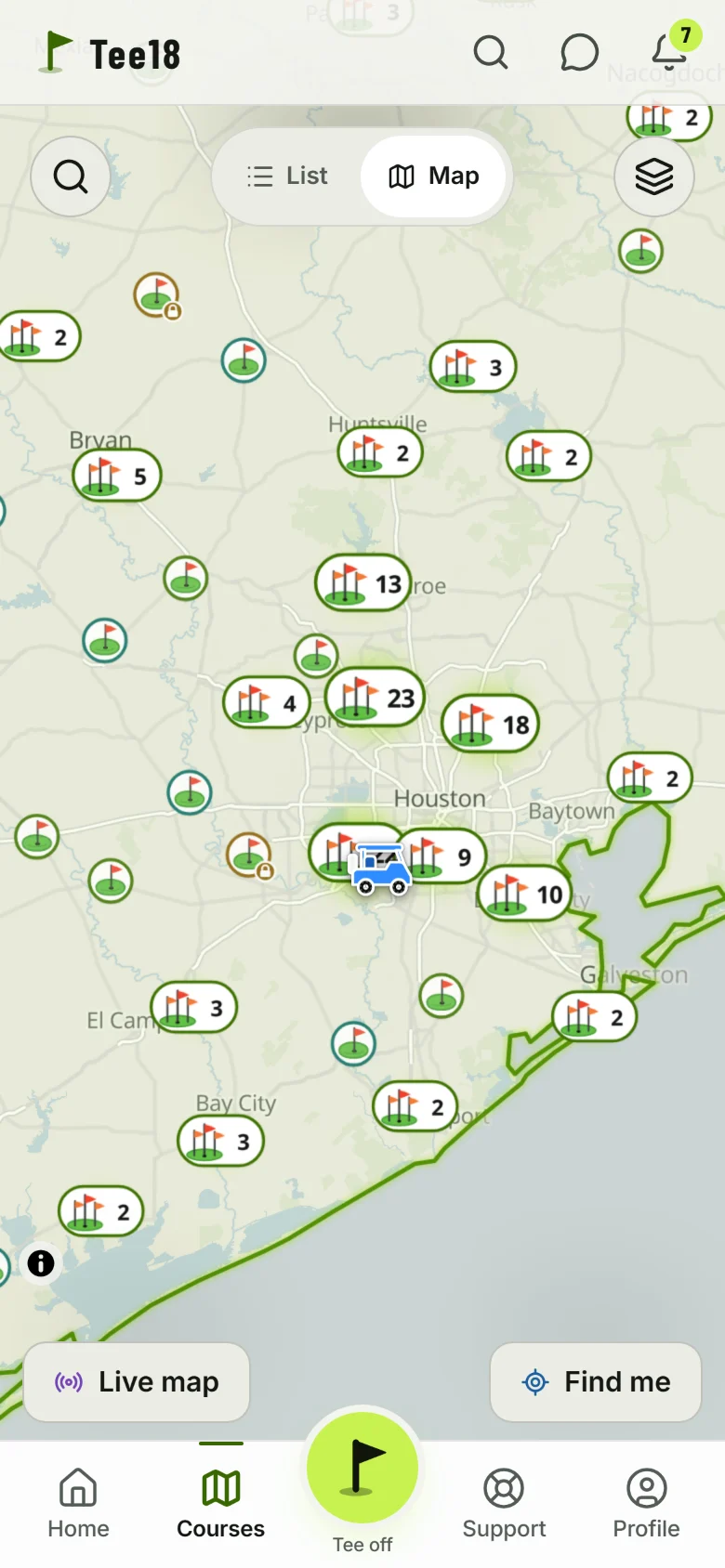
Every course in Texas, on one map.
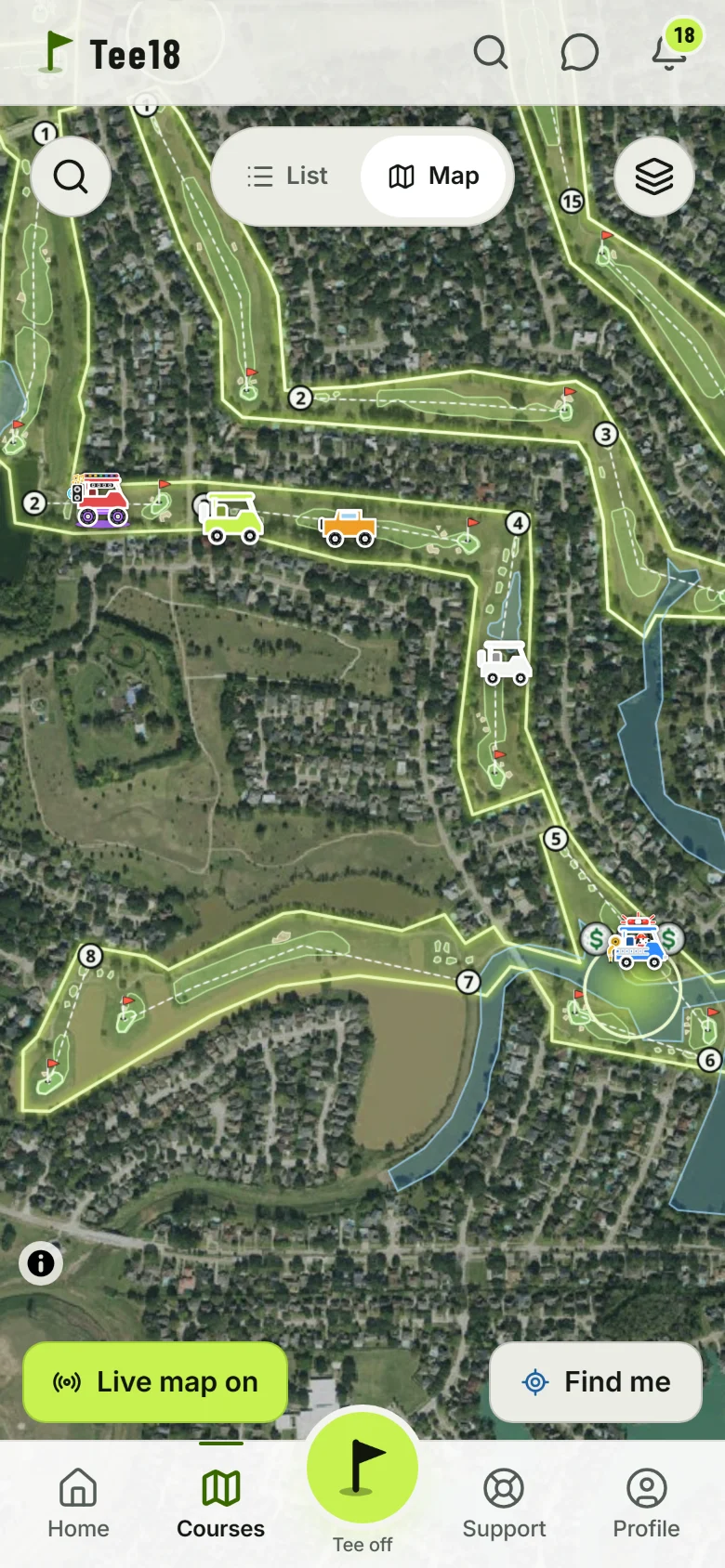
The Courses tab is a map of Texas with a flag on every course: 706 of them, public and private, par 3s and 9-holers, in every metro and out in the country. Zoom out and they group up, zoom in and they spread out. Tap a flag for the course card.
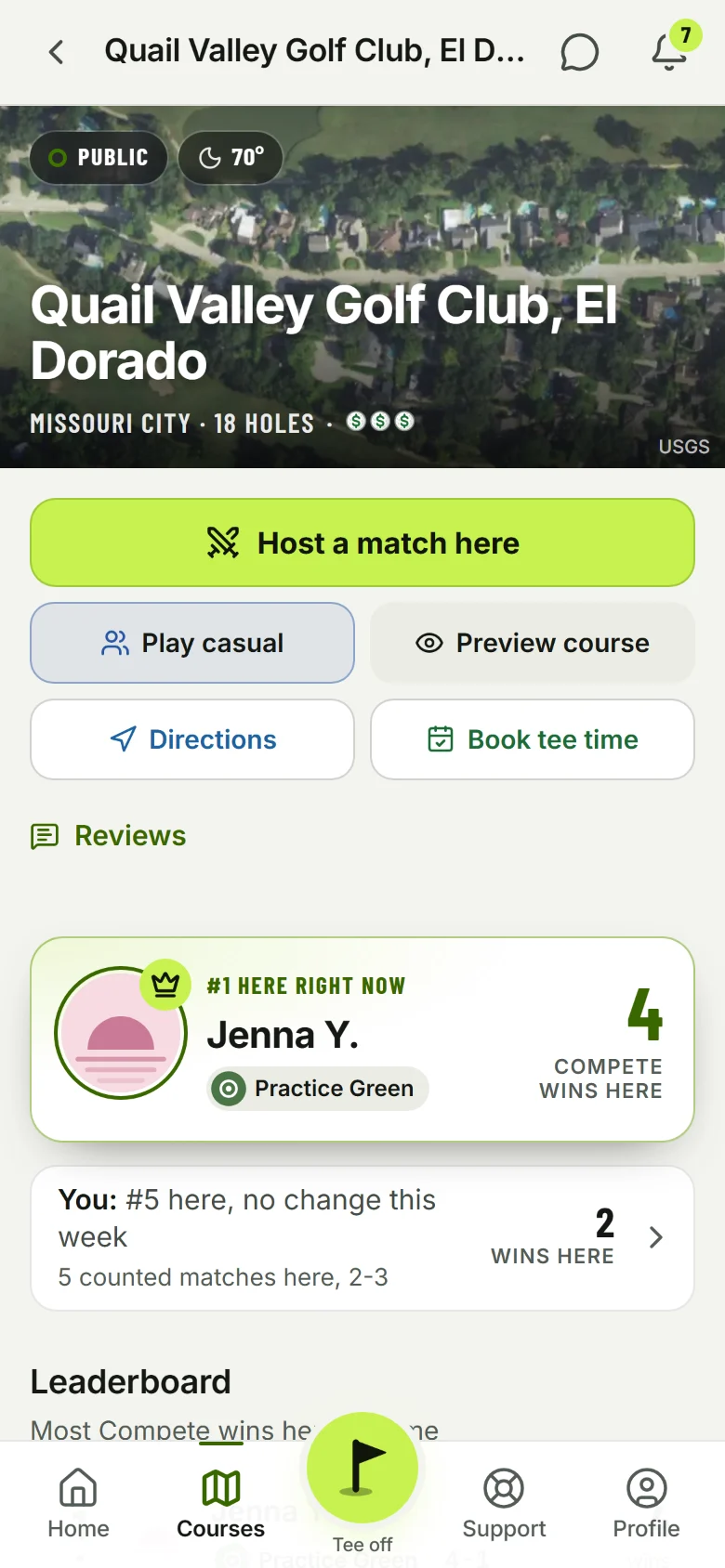
- The #1 at every courseTwo #1s on every card: the Compete #1 (most Compete wins there) and the Unofficial #1 (the best casual round there). Your own place too.
- The card does the restPreview every hole, get directions, see the price and book a tee time (GolfNow where the course has it, else the club's own page). Open the course page for the full board, the records and reviews from Tee18 players.
- Practice places382 driving ranges, simulators and putting spots with their own filter. 270 courses say "Driving range here".
- Friends at the course"3 friends have played here" opens what they shot there and who is best among you.
- Live mapOff by default. Turn it on for friends, or for everyone at the course, and while you are at a course with the app open your cart drives around that course on the map. Zoom in on a course and see who is out there; tap a cart for who it is and how far.
A rangefinder that remembers.
Start a round and tap GPS. You get yards to the front, center and back of the green from where you stand, the carry over every bunker and pond on the way, and a target you can drag anywhere on the hole. Then it tracks what you do.
- Mark shotTap it where your ball is, pick the club, done. The phone holds still for up to 3 seconds and averages its readings, so the mark lands where you really are. The app measures the shot and remembers how far you hit that club.
- DropsHit it in the water? Tap Drop where you drop, pick why (penalty area, unplayable, out of bounds, free relief) and the penalty stroke goes on the score.
- WindSpeed and direction at the course from the National Weather Service, and whether it is into you, helping or across for the shot in front of you.
- Green slopes and 3D greensReal 1 m lidar from the USGS turned into a heat map with arrows that show the break, or a green you spin around in 3D.
- Putting in feetInside 30 yards the numbers switch to feet. Mark your putts and each one's length goes into your stats.
- Hole stats as you goWhen you tap to the next hole, a sheet opens for the hole you just played: strokes, putts, fairway, penalties, sand shots, already filled from your marks. Check it, save, move on.
- Satellite, Drawn or 3DReal aerial photos, a drawn map of the hole, or 3D with the terrain. Switch any time.
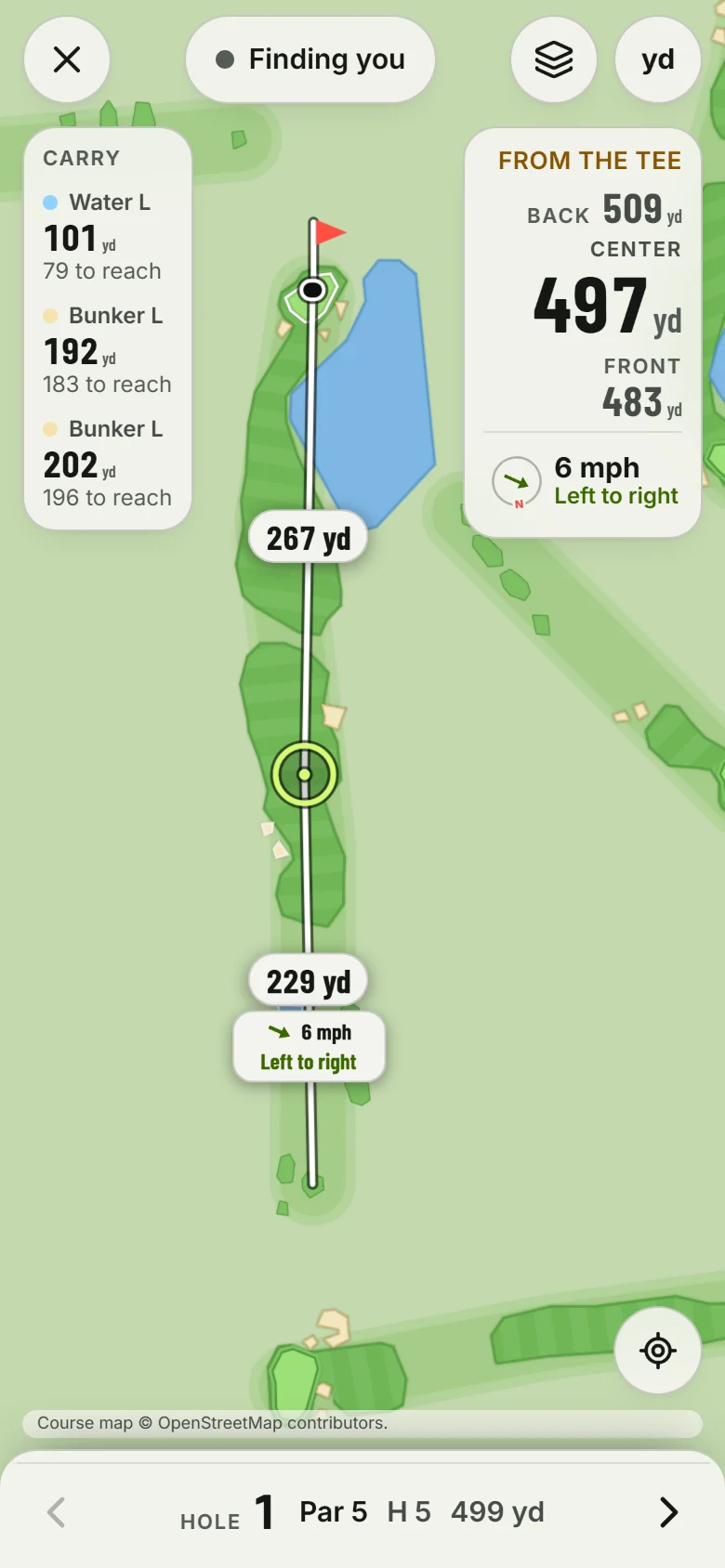
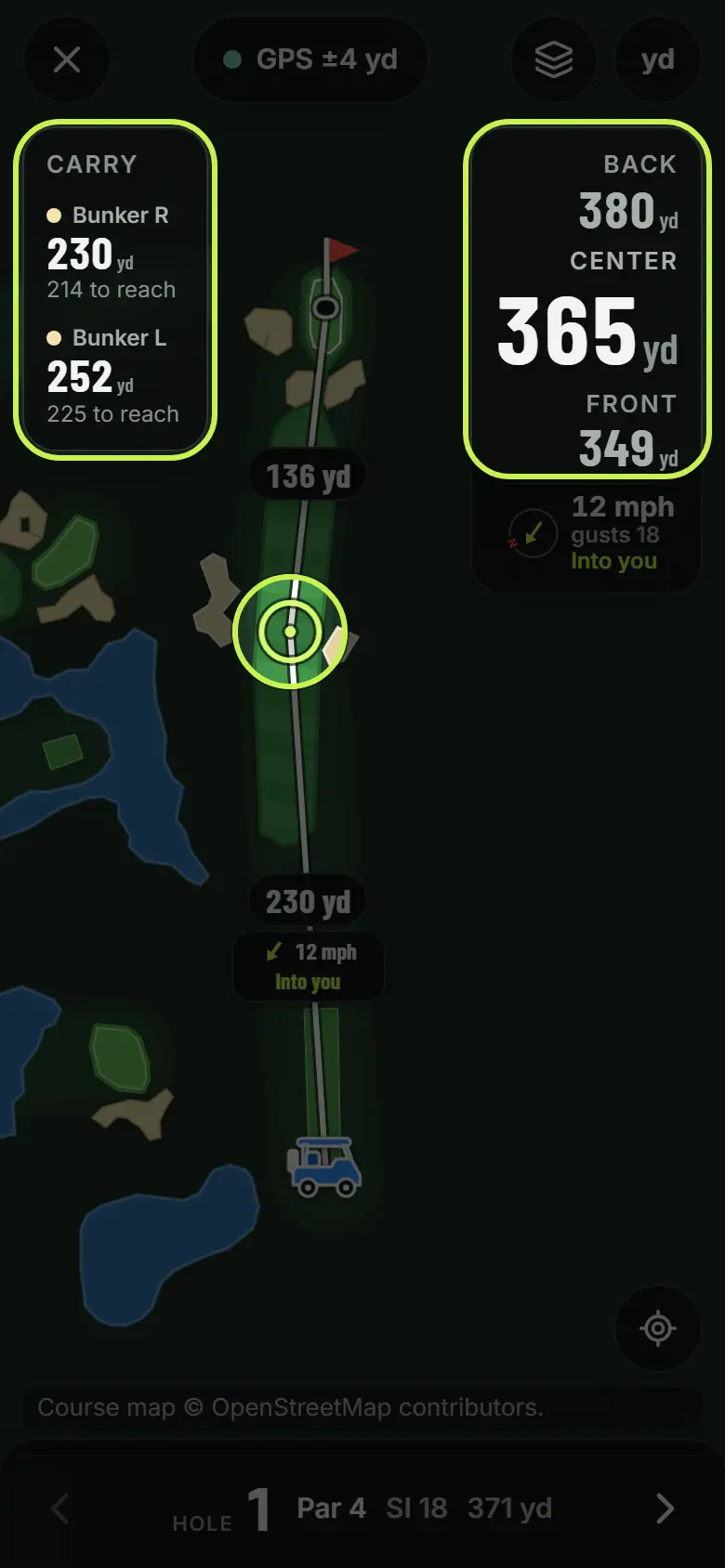
Distances and carries
Front, center, back and every bunker and pond in the way, from where you stand.
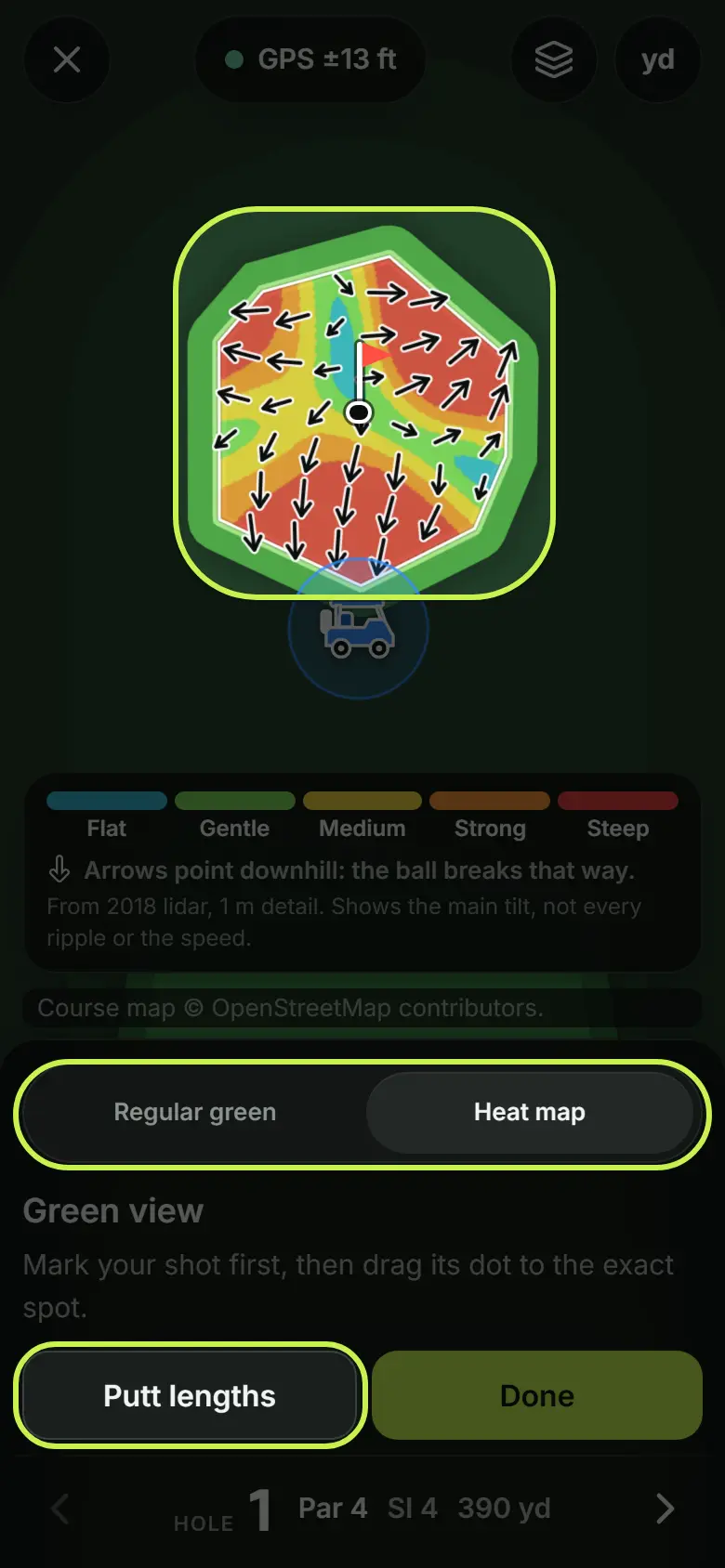
Read the green
The slope heat map with arrows that show which way it breaks before you putt.
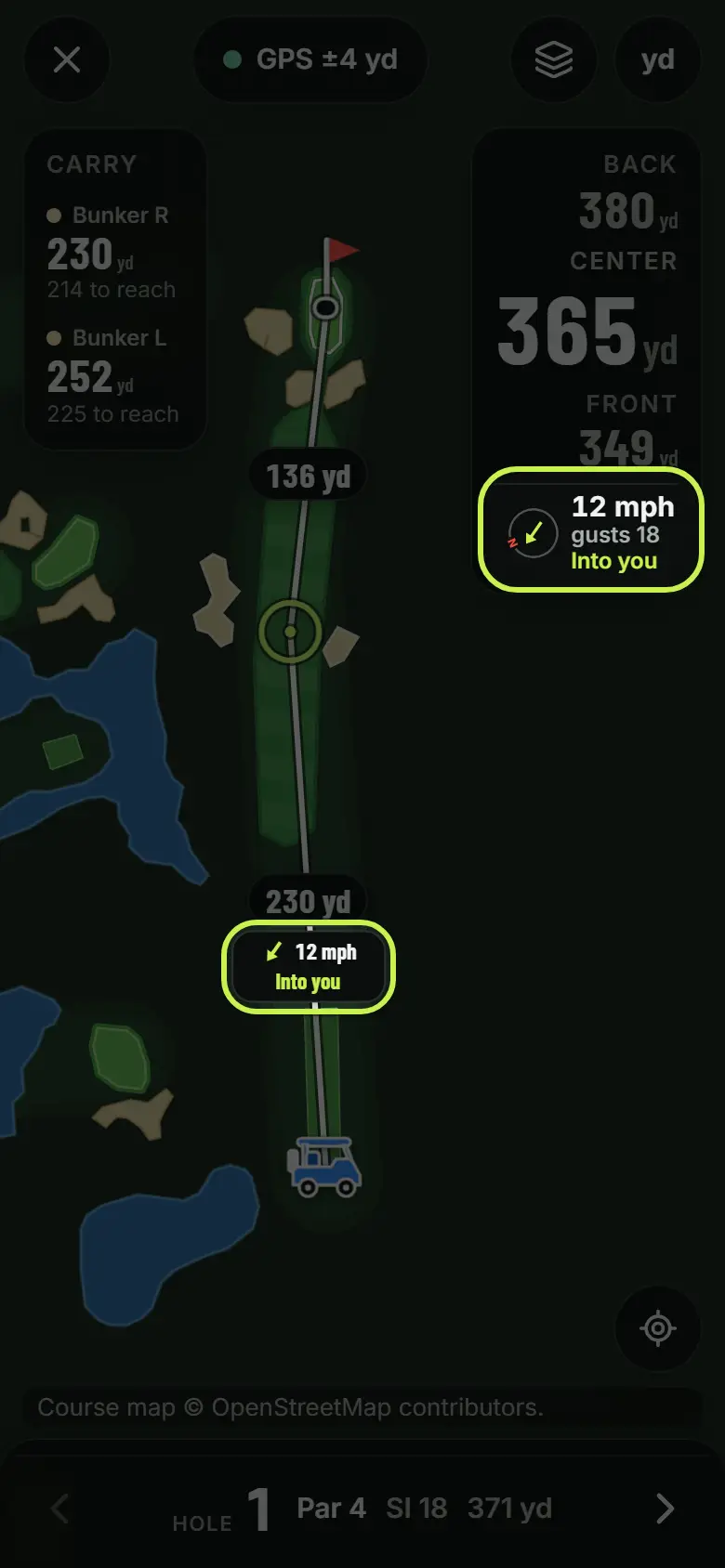
Wind on your shot
Speed, gusts and whether it is into you or helping, on the hole you are playing.
Play it your way.
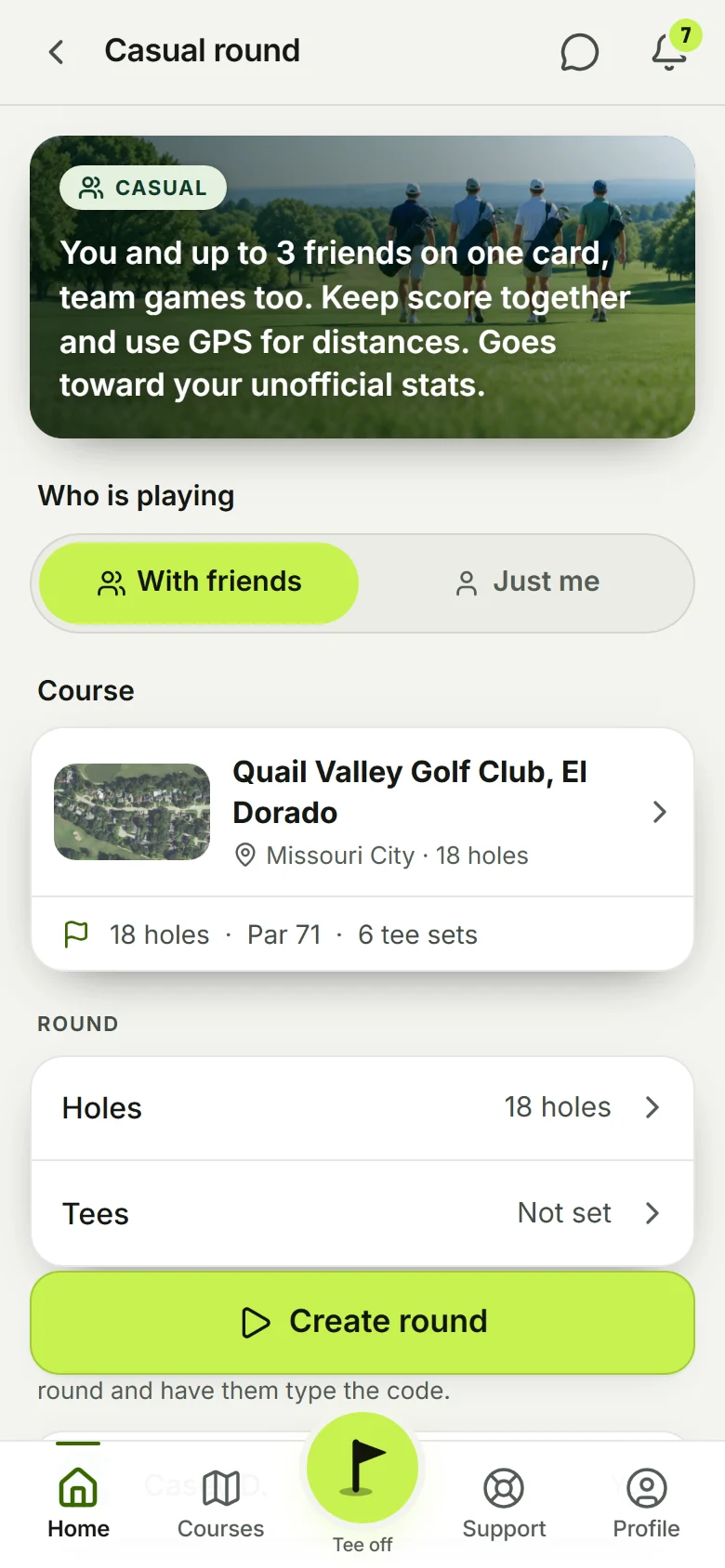
Tap Tee off and pick Casual round or Solo round. One screen sets it up: the course (it finds the one you are standing at), the holes, the tees, who is playing, the format and the options. Everyone on the card marks their own shots and keeps their own score.
- Up to 4 on one cardInvite friends or crew mates. Each person sees their own GPS and their own shots; the card shows everyone's scores.
- Nine game modesStroke play, Stableford, Better Ball, Scramble, Alternate Shot and the four match plays. Team games split you into Team A and Team B.
- Tee18 IndexOpt in and your full casual rounds build an unofficial handicap. Turn on net scoring and strokes land on the right holes.
- MulligansIf the group says so when the round is set up: one do-over off the tee per nine holes, each.
- Play another 9On a nine-hole course, finish hole 9 and keep going. The round becomes 18, the same nine twice.
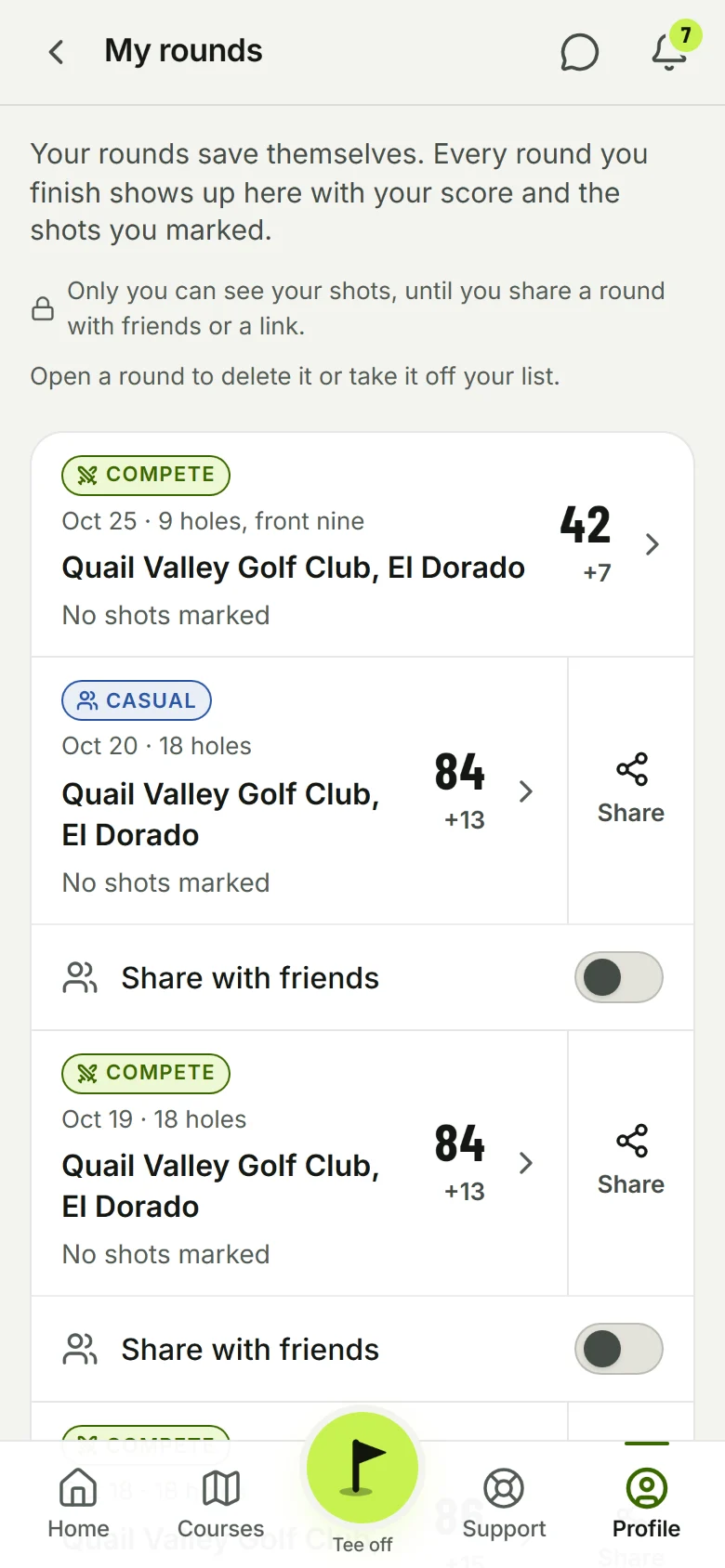
- My rounds and the replayEvery round you have finished, with the card, the stats for that round, and a replay hole by hole on the map with every shot and club. Finished means finished: no edits after.
Real matches. Public boards.
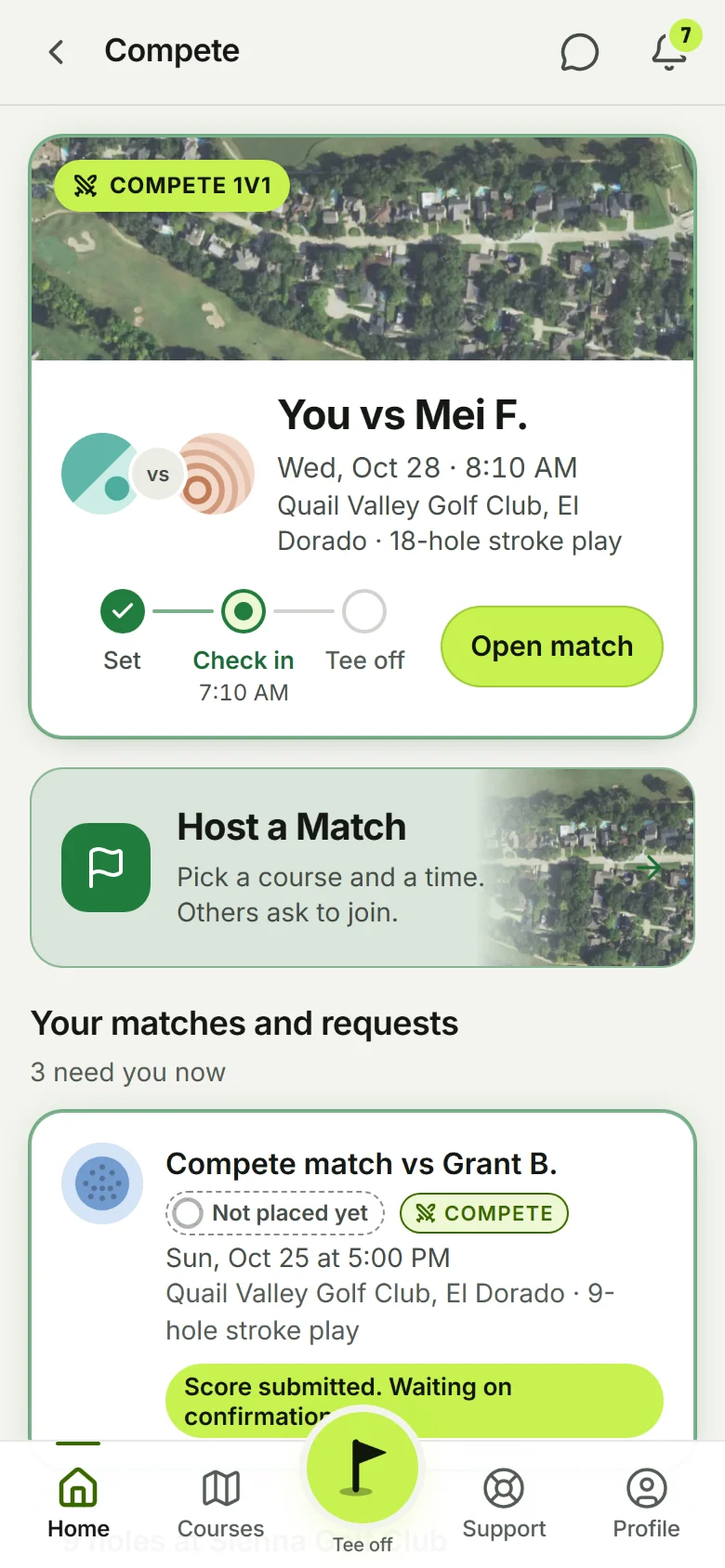
A Compete match is a post. You host one at a course and a time, anyone on Tee18 near there sees it and asks to join, you pick who plays. Or tap Compete Match and it shows you the open matches that fit you. You both check in at the course, play for real, and confirm the score together. Then the win goes on the course's board and your city's, where everyone can see it.
- Compete 1v1 and 2v2Stroke play or Singles (Match Play). Bring a friend as your partner for 2v2.
- Check in at the courseCheck-in opens an hour before the start. Both players check in from the course, then Start match.
- Boards and prestigeBoards rank by Compete wins at the course and in your area. Prestige is a ten-level ladder from your own scores, Driving Range up to Major.
- Change the timeSomething came up? Ask to move the match to another day and time. The other side says yes or no.
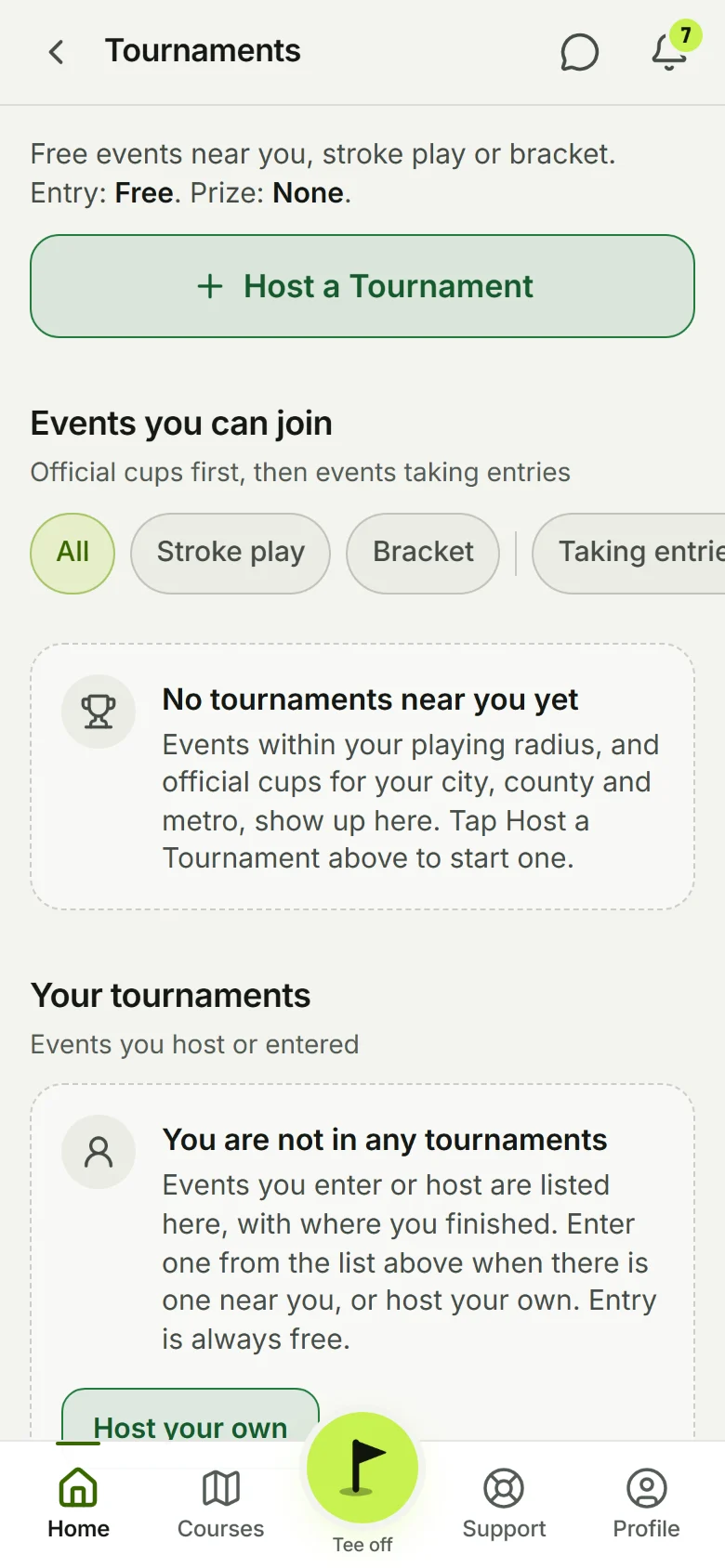
- TournamentsStroke play or a bracket, for your crew, your club or the city. Entry is always free.
Know your game.
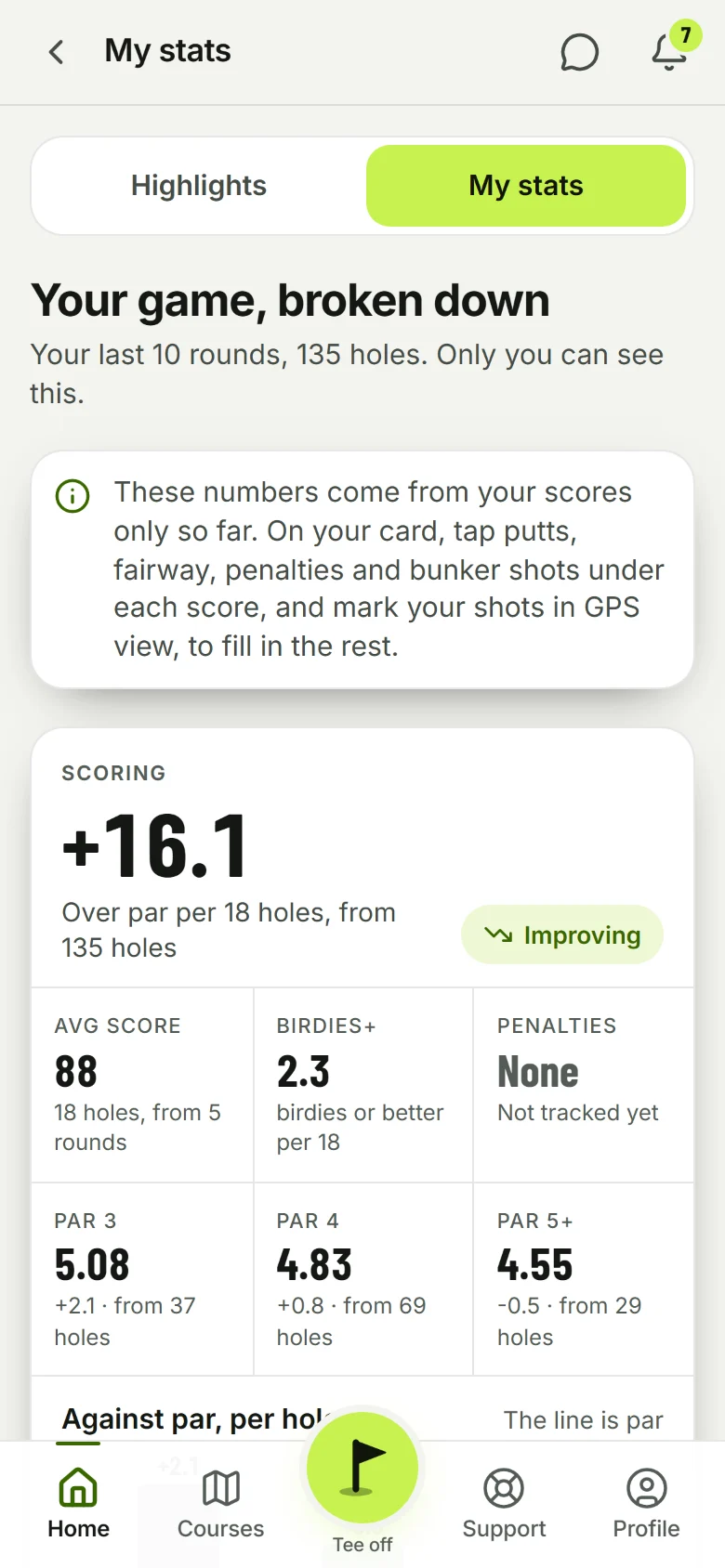
Everything you mark on the course turns into numbers. My stats breaks your last ten rounds down. Highlights pulls out your best moments. And the YOUR GAME card on Home shows the four numbers you pick, from 22, so the first thing you see is what you care about.
- Animated chartsScoring, par 3s, 4s and 5s, fairways, greens, putts by length, club distances, and the trend.
- Your bagTick the clubs you carry, add your own (a 9 wood, an 8 hybrid, whatever you carry), and your shots teach the app how far you hit each one.
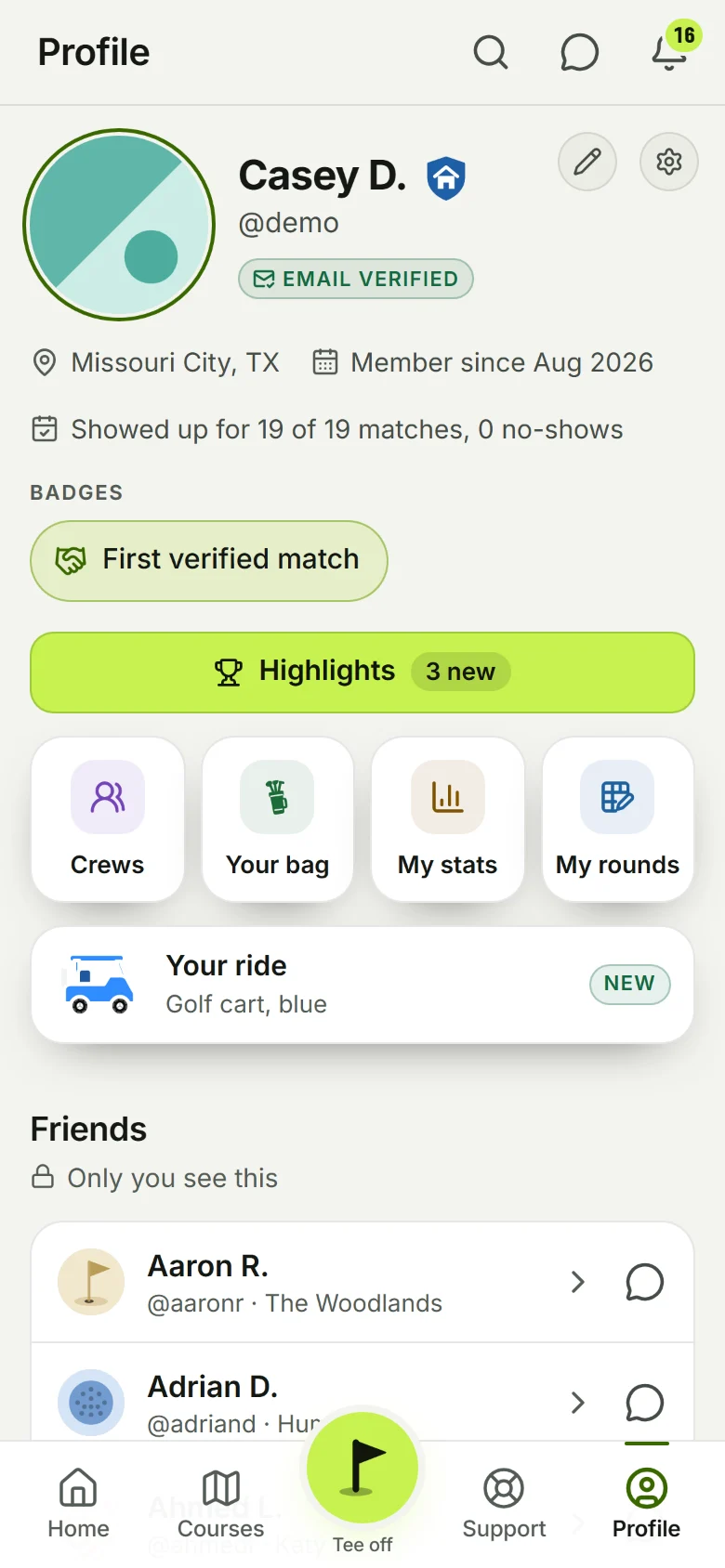
- Prestige on your profileYour level sits next to your name. Your Compete record, your wins at each course and your friends' rounds there are on your profile too.
- Yours onlyYour shots and putts are private. Nobody sees them, admins included, unless you share a round yourself.
A whole practice app inside.
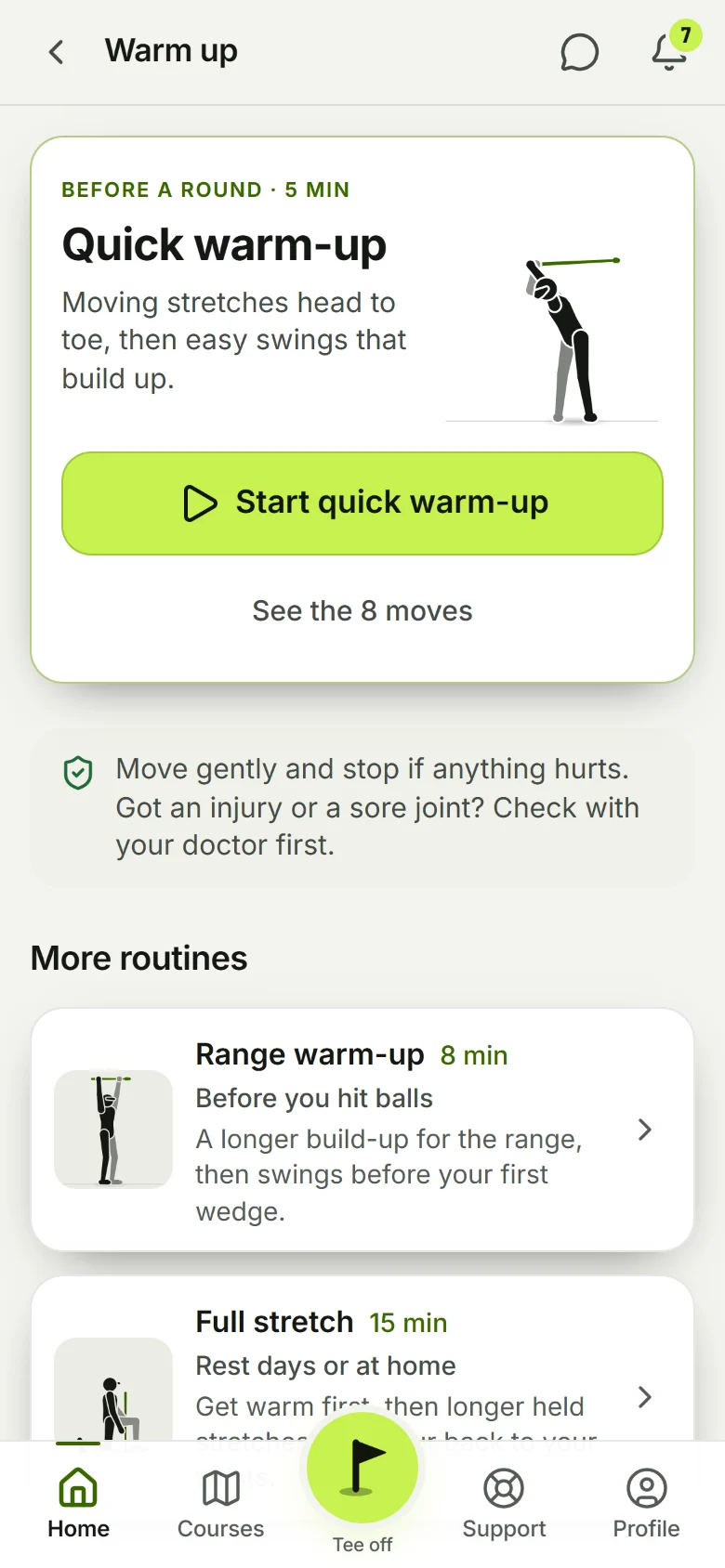
21 drills that keep score, your own drills, a weekly plan with a calendar, warm-ups you follow move by move, a swing camera, and a map of places to practice. All under the Practice tile on Home.
See Practice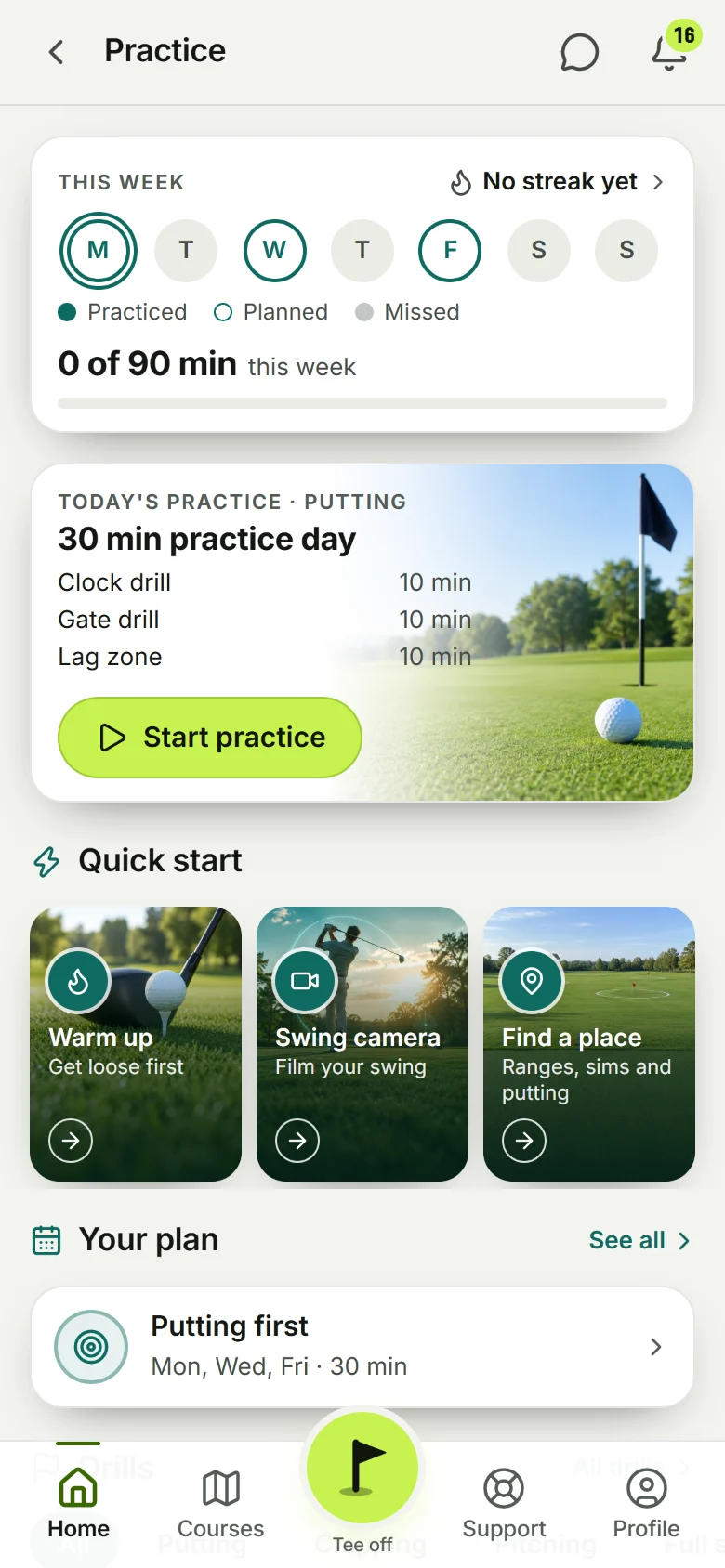
Your people, your crew.
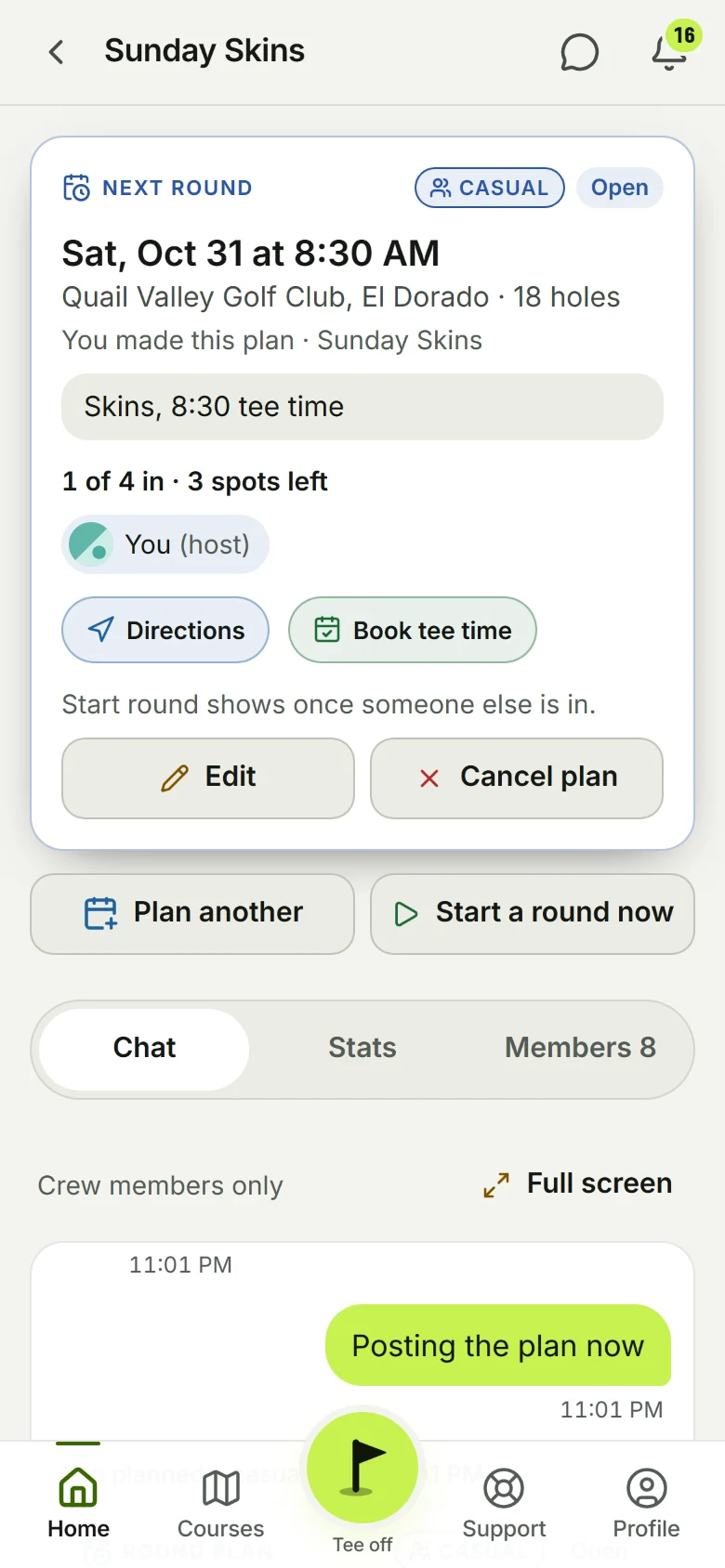
Find a player by name and add them as a friend. Make a crew of up to 20 with its own chat and stats. Post a round plan, people tap I'm in. Turn on Live map and your friends see your cart on the course while you play, and you see theirs. Go Live and they watch your whole round, shot by shot.
See CommunityFind golf brands.
A store page inside the app. Open a brand, see what they make, tap a product and their own site opens. You buy from them, at their price; there is no cart in Tee18. Nobody tracks which player bought what, and you never have to buy a thing. Mo City Golf is the first brand in there.
Have a brand? Get in the store
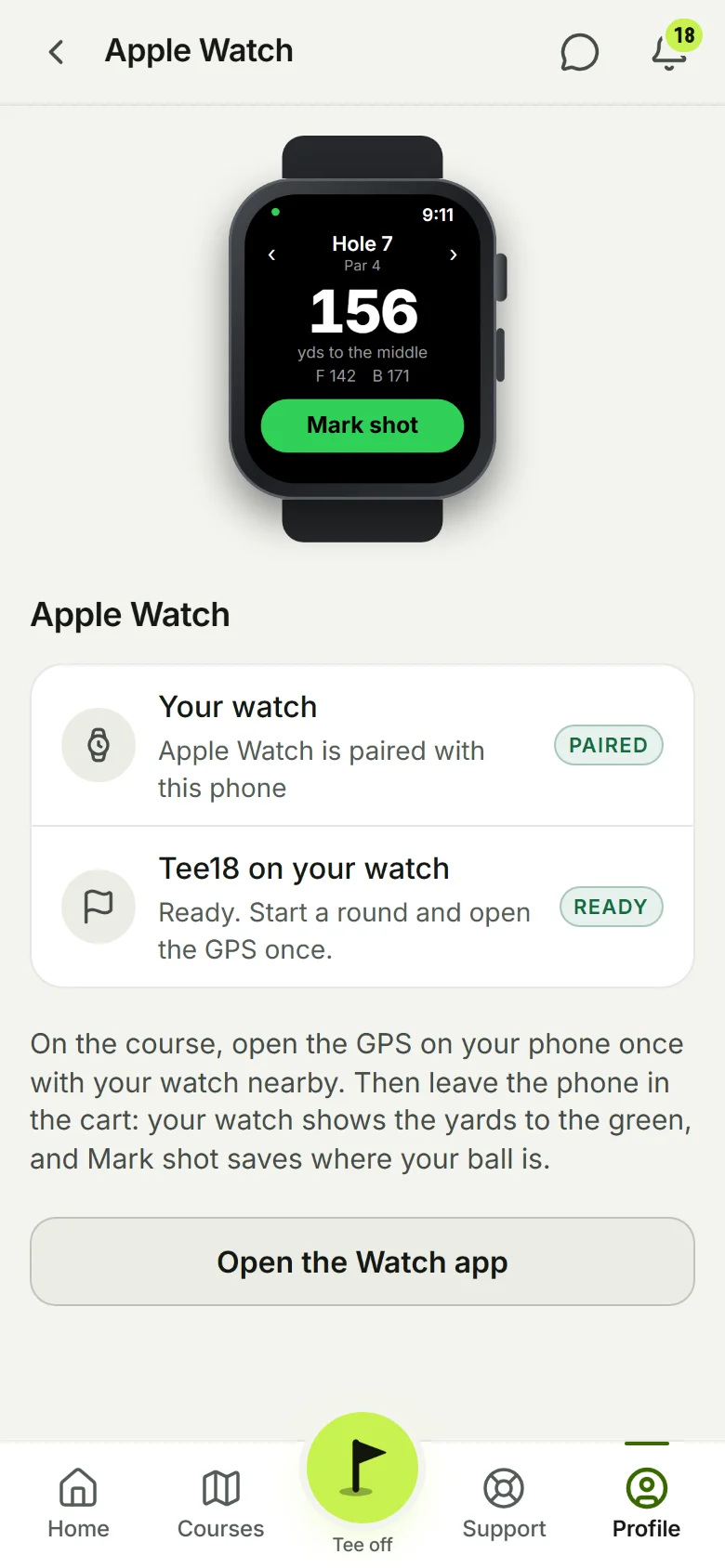
Leave your phone in the cart.
The watch does one thing on purpose: the hole you are on, yards to the middle of the green with front and back, and Mark shot. Hit it, raise your wrist, tap Mark shot, pick the club. The shot lands on your round when the phone is near again. No map, no scores on the watch, nothing to fiddle with.
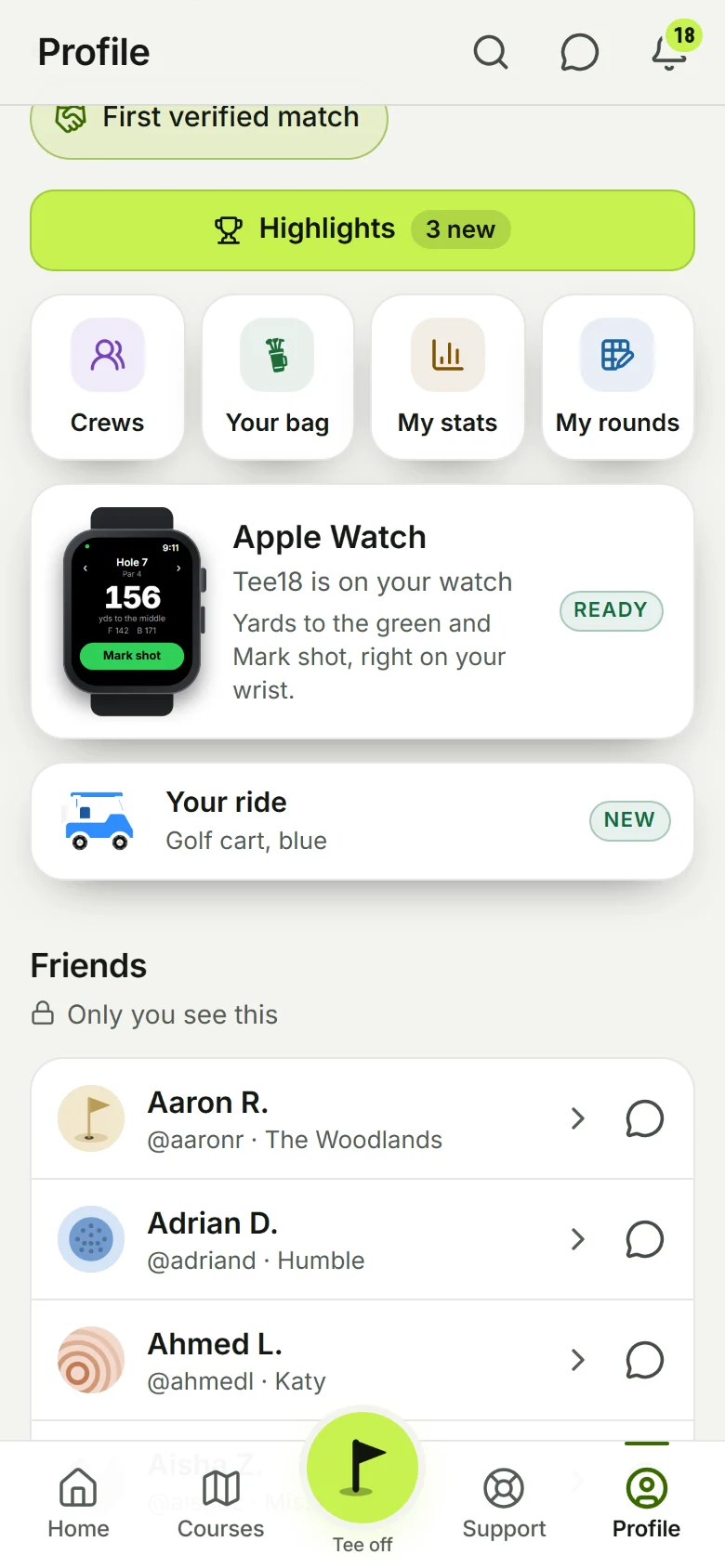
- Connect watchSettings, then Apple Watch, opens the Watch app with Tee18 ready to add. Your Profile has the same card.
- It follows youWalk to the next tee and the watch moves to the next hole by itself.
The small things.
Photo mode
Turn it on in the GPS menu and Mark shot opens the camera. The photo of where you hit from shows on that dot in the replay and on your share link.
Share a round
A link anyone can open with your map, card and stats, or Share with friends so it shows in your Games inside the app.
Share cards
Story pictures of a round in seven designs: the hole with your shots, a shot tracer, the scorecard, your best hole and more.
Move the flag
Drag the pin to where it is today and everyone playing that course gets the move. Middle puts it back.
Fix a course
A hole looks wrong? Send a photo of the scorecard or the course layout from the course page and we fix it by hand.
Help and support
Write to us from Settings. A person reads it and answers you in the app.
Works with weak signal
Scores, shots and flags wait on your phone and send when you get a bar back. Nothing is lost.
Private by default
Nobody sees your location or your shots unless you turn sharing on. Every delete asks "Are you really sure?" first.
Find a coach
Coming soon: coaches near you and a lesson request from the app. The pages are built; coaches sign up next.